
Sentry - Register Account and Setup Project
1. Visit Sentry's Website:
Open your web browser and go to Sentry's official website. On the homepage, look for the "Get Started" button.

2. You will be redirected to a sign-up page where you can either create a new account using your email and password or sign up using an external provider (e.g., GitHub, Google).

3. Invite the team
Assign new team as Member.


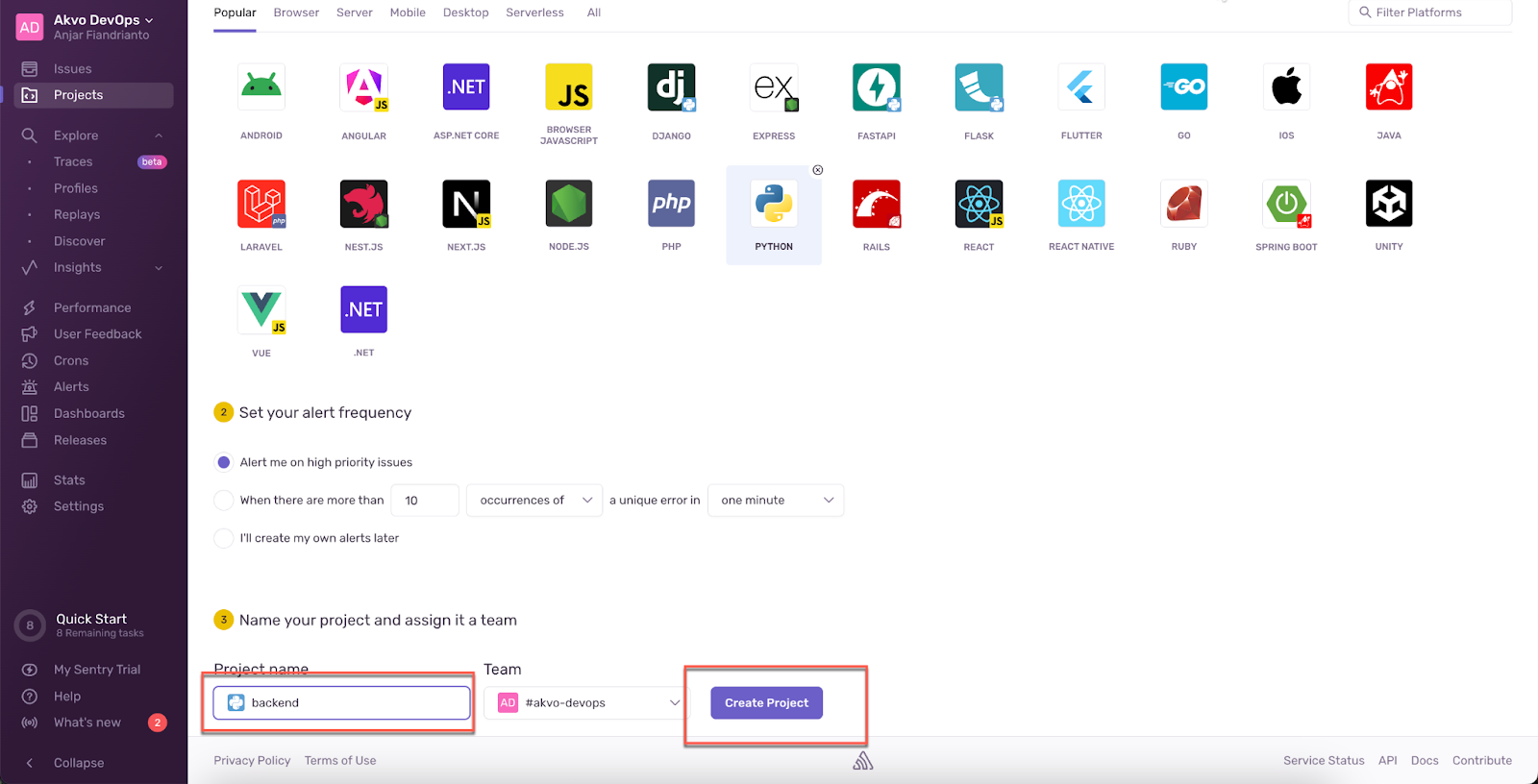
4. Create a new project for backend
A prominent “Create Project” button will appear on the right side of the screen. Click this button to begin the project creation process.
You will be prompted to choose the technology stack your project will use. Options will include various programming languages and frameworks (like JavaScript, Python, Java, etc.). Select the appropriate one for your project.
After your project is created, Sentry will guide you through integrating the SDK into your application.



5. Create a project for Mobile app
Keep the DNS value to be installed in the system.


6. Create Sentry auth token for mobile app data log
In the settings page, look for “Auth Tokens” under the “Developer Settings” section in the left sidebar. Click on it to open the Auth Tokens page.
Once the token is created, make sure to copy it immediately, as you usually won’t be able to view it again for security reasons. Save it in a secure location.


No comments to display
No comments to display